GCDeck. Blender controls within reach.

A native iPhone control surface for contextual commands, scenes, assets, timelines, viewport actions and reusable Blender workflows.

  • Native iOS
  • Local Network
  • Blender Integration

PRODUCT SYSTEMS / 02

Focused tools for creative operators.

Each product moves a specific part of the workflow beyond the desktop without replacing the primary workspace.

PRODUCT / GCDECKiOS 17+

GCDeck

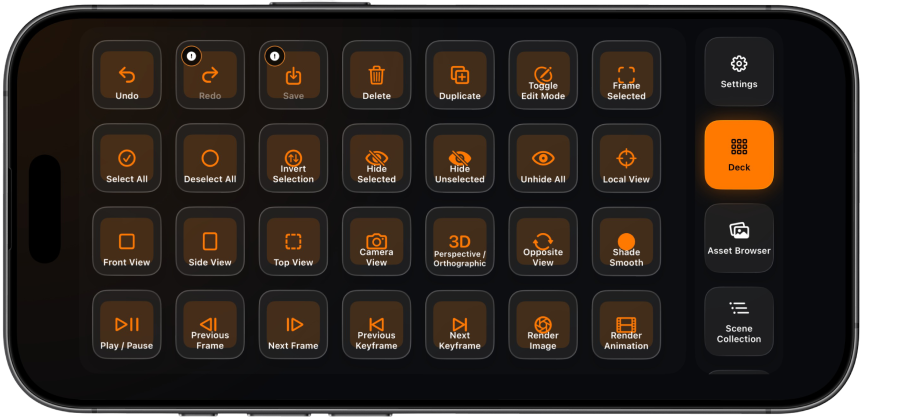
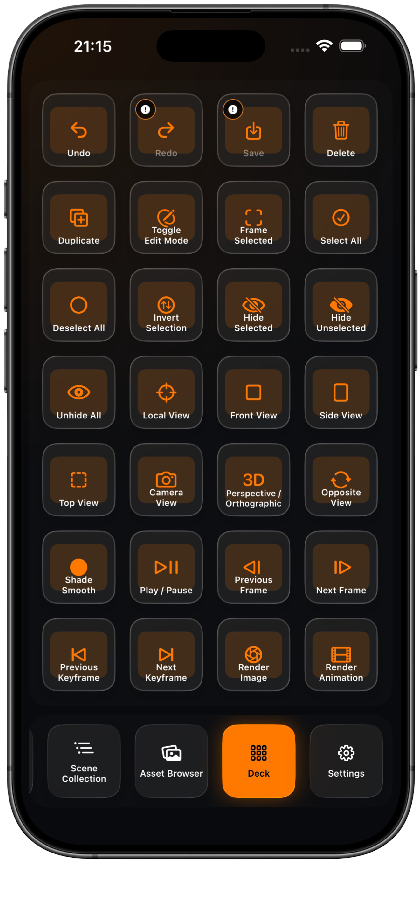
GCDeck connects an iPhone directly to Blender for contextual commands, configurable control screens, scene and timeline tools, supported assets, viewport navigation and reusable workflow macros.

  • Context-aware Command Deck
  • Natural viewport navigation
  • Scene Collection controls
Explore GCDeck
GCDeck control layout displayed on an iPhone in landscape orientation
PRODUCT / CAMIn Development

Cam

Cam uses motion, touch controls and local streaming to create a physical camera workflow for Blender virtual production.

  • Phone-driven camera movement
  • Relative and absolute rotation
  • Zoom and focal length control
Explore Cam

WORKFLOW / LOCAL

Extend your workflow in three steps.

  1. 01Install the integration
  2. 02Connect your device
  3. 03Control the workflow

TECHNOLOGY

Native where interaction matters.

A deliberately small stack connects mobile interfaces, Blender tooling and this static product site.

01Swift02SwiftUI03Python04Blender API05Network.framework06Bonjour / DNS-SD07CryptoKit08Keychain09ActivityKit10Astro11Cloudflare

GCDECK / IPHONE + BLENDER

Build more. Reach less.

Explore GCDeck workflows, local-only architecture, compatibility, Blender add-on setup and support guidance.

Explore GCDeck